
Download Visual Studio Professional 2017 – Visual Studio, IDE, development tool, programming, coding, software development, cross-platform, debugging, collaboration, extensions, Microsoft
Overview
Visual Studio Professional 2017 is a comprehensive integrated development environment (IDE) tailored for professional software developers. Designed by Microsoft Corporation, it serves as a central hub for building, testing, and deploying applications across multiple platforms, including Windows, iOS, and Android. The app is engineered to enhance productivity and streamline collaboration, making it particularly valuable for individual developers and small development teams. It supports a wide range of programming languages and frameworks, enabling users to create scalable and robust applications with minimal friction.
Its primary purpose is to simplify the software development lifecycle by integrating essential tools—such as compilers, debuggers, and version control systems—into a single, cohesive interface. This reduces context switching and accelerates development cycles. Real-world use cases include enterprise application development, mobile app creation, cloud service integration, and game development. The app plays a critical role in the developer ecosystem by offering a unified experience that bridges cross-platform development with advanced code intelligence and team collaboration features.
Although the developer did not provide additional technical details about performance benchmarks or target hardware specifications, the app’s long-standing reputation and widespread adoption in professional environments underscore its reliability. For developers seeking a powerful, all-in-one solution for modern software creation, Visual Studio Professional 2017 remains a foundational tool in the industry.
Key Features & Functionality
- Cross-Platform Development: Enables creation of applications for Windows, iOS, and Android from a single IDE, reducing the need for multiple development environments and accelerating time-to-market.
- Enhanced Collaboration Tools: Integrates version control systems and real-time code sharing, facilitating seamless teamwork, especially in distributed or agile development workflows.
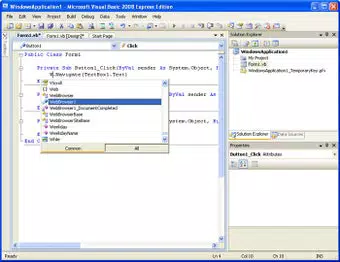
- Intelligent Code Editing: Features advanced IntelliSense that delivers context-aware code suggestions, syntax highlighting, and real-time error detection, significantly reducing manual input and improving code quality.
- Built-In Debugging Tools: Offers powerful debugging capabilities including breakpoint management, live unit testing, and step-through execution, allowing developers to identify and resolve issues efficiently during development.
- Rich Extension Ecosystem: Supports a vast library of extensions via the Visual Studio Marketplace, allowing developers to customize the IDE with additional tools, themes, and language support to match their specific workflows.
For example, a mobile app developer can use the cross-platform capabilities to write shared code for both Android and iOS while maintaining platform-specific UIs. A team working on a cloud-based enterprise application can leverage built-in Git integration and real-time collaboration features to synchronize changes and conduct code reviews without external tools. The intelligent code editor helps reduce syntax errors and speeds up development, especially when working with complex frameworks like .NET or Xamarin.
Interface, UX & Performance
The interface of Visual Studio Professional 2017 is designed for efficiency and customization, featuring a modular layout with dockable windows, toolbars, and project explorers. The visual style is clean and professional, optimized for long coding sessions with minimal eye strain. Navigation is intuitive, with a well-structured menu system and context-sensitive toolbars that adapt based on the active project type.
Users can rearrange panels, save custom workspace layouts, and switch between themes to suit their preferences. The responsiveness of the interface is generally strong, though performance may vary depending on system resources. Although the developer did not list formal performance metrics, the app is known to handle large projects with multiple files and dependencies effectively, particularly on machines with adequate RAM and SSD storage.
Stability is maintained through regular updates and robust error handling. While the app may experience delays during initial loading or when processing large solutions, these are typical for complex IDEs of this scale. The overall user experience is consistent with professional-grade software, prioritizing functionality and control over minimalism.
Platform Compatibility & Technical Requirements
Visual Studio Professional 2017 is available exclusively for the Windows platform. It requires a Windows operating system, though the specific minimum version was not listed by the developer. The app has a file size of 7.2 GB, indicating it includes a comprehensive suite of tools, compilers, libraries, and runtime environments.
Given its size and complexity, users are advised to ensure sufficient disk space and system memory for optimal performance. The developer did not specify minimum OS requirements, hardware specifications, or compatibility with virtualized environments. Therefore, users should verify system compatibility with their current setup before installation.
Pros and Cons
Pros
- Comprehensive support for cross-platform application development
- Advanced code intelligence with real-time suggestions and error detection
- Integrated collaboration tools for team-based development
- Extensive extension marketplace for customizing functionality
- Robust debugging and testing capabilities
Cons
- Large file size may require significant disk space
- Not available on mobile platforms such as Android or iOS
- High system resource demands may affect performance on older machines
- Price point of $499.00 may be prohibitive for individual developers or small startups
- Requires a Windows environment, limiting accessibility for non-Windows users
FAQ
Is Visual Studio Professional 2017 available for free?
Visual Studio Professional 2017 is a paid tool with a license cost of $499.00. However, Microsoft offers free versions of Visual Studio, such as Visual Studio Community, which may suit some users depending on their project needs.
Can I install Visual Studio Professional 2017 on a Mac?
No, the app is only available for Windows. Developers using macOS must use alternative IDEs or run Windows via virtualization, though this is not officially supported or optimized.
What is the latest version of Visual Studio Professional 2017?
The version provided is 15.4.2. Microsoft has since released newer versions of Visual Studio, and users are encouraged to check for updates through official channels.
Is Visual Studio Professional 2017 secure to download?
Yes, when downloaded from official Microsoft sources, the app is secure and verified. Users should avoid third-party sites to prevent malware or tampered installations.
Can I use extensions in Visual Studio Professional 2017?
Yes, the IDE supports a wide range of extensions available through the Visual Studio Marketplace, allowing developers to enhance functionality with tools for code analysis, formatting, version control, and more.
Final Thoughts
Visual Studio Professional 2017 stands as a powerful, feature-rich IDE designed for professional developers who demand control, scalability, and cross-platform flexibility. Its integration of intelligent coding tools, debugging systems, and collaboration features makes it a cornerstone of modern software development workflows. While its high price and system requirements may limit accessibility, its value is undeniable for teams and individuals building complex applications across multiple platforms.
For developers working on enterprise-level projects, mobile apps, or cloud services, this tool offers a unified, efficient environment that reduces development friction and accelerates delivery. The extensive extension ecosystem ensures long-term adaptability, while the robust feature set supports both individual productivity and team coordination.
Download Visual Studio Professional 2017 now


